


Data, privacy, and permissions
Conversations/configuration stay in the current device space. Personal and organization/private-deployment spaces retain separate local data rather than merging on switch; organization services still own managed resources and permissions. Cloud models and tools receive request content, so local storage does not imply an entirely offline task.
Where does data go?
| Feature | Data involved |
|---|---|
| Cloud chat/image generation | The selected provider receives messages, participating history, images, parsed document content, or drawing prompts |
| Search/page reading | The selected service receives keywords or URLs; returned material participates in model answers |
| Plugins/custom tools | Connected services process authorized requests; retrieved content may be provided to the model |
| Calendar, reminders, location | Authorized device information is read or changed; relevant results can participate in answers |
| Translation | Original replies or skill documents go to the translation model; completed results are stored locally |
| iOS health queries | Each query confirms the recipient; results enter history and may accompany later messages |
| Remote desktop conversations | Messages and attachments go to the authorized computer for its models and tools to process |
| Desktop import | Selected provider addresses, keys, and models transfer over the paired, reachable connection |
| Voice/transcription | System dictation follows its OS service; local file transcription creates text that later model tasks can still send |
| SSH | Exchanges requests/files with the configured server; results may enter model context, but dedicated authentication secrets are not chat input |
| DeepSeek import | Downloads and imports an export locally; does not itself call a DeepSeek model or upload history to another model service |
| AI diagnosis | Explicit model selection/start sends redacted errors, configuration, checks, and technical-log summaries, excluding chat text and attachment contents |
Retention depends on each service's policy and account settings. Local storage does not make a cloud conversation entirely offline.
Anonymous usage and error reports
Fresh installations choose anonymous usage sharing after welcome; existing installations receive updated policy disclosures. Sharing starts checked for new users and can be changed before continuing; saved user choices are retained. Change it later in Settings → Privacy. This does not grant all model, plugin, or OS permissions.
- Share anonymous usage data: includes installation identity, app/system versions, models used, and token quantities; not conversation text, files, or API keys.
- Send anonymous error reports: helps investigate crashes and failures, with a separate setting.
Disabling usage reporting does not block messages you send to model providers or revoke plugin access. Manage those connections separately.
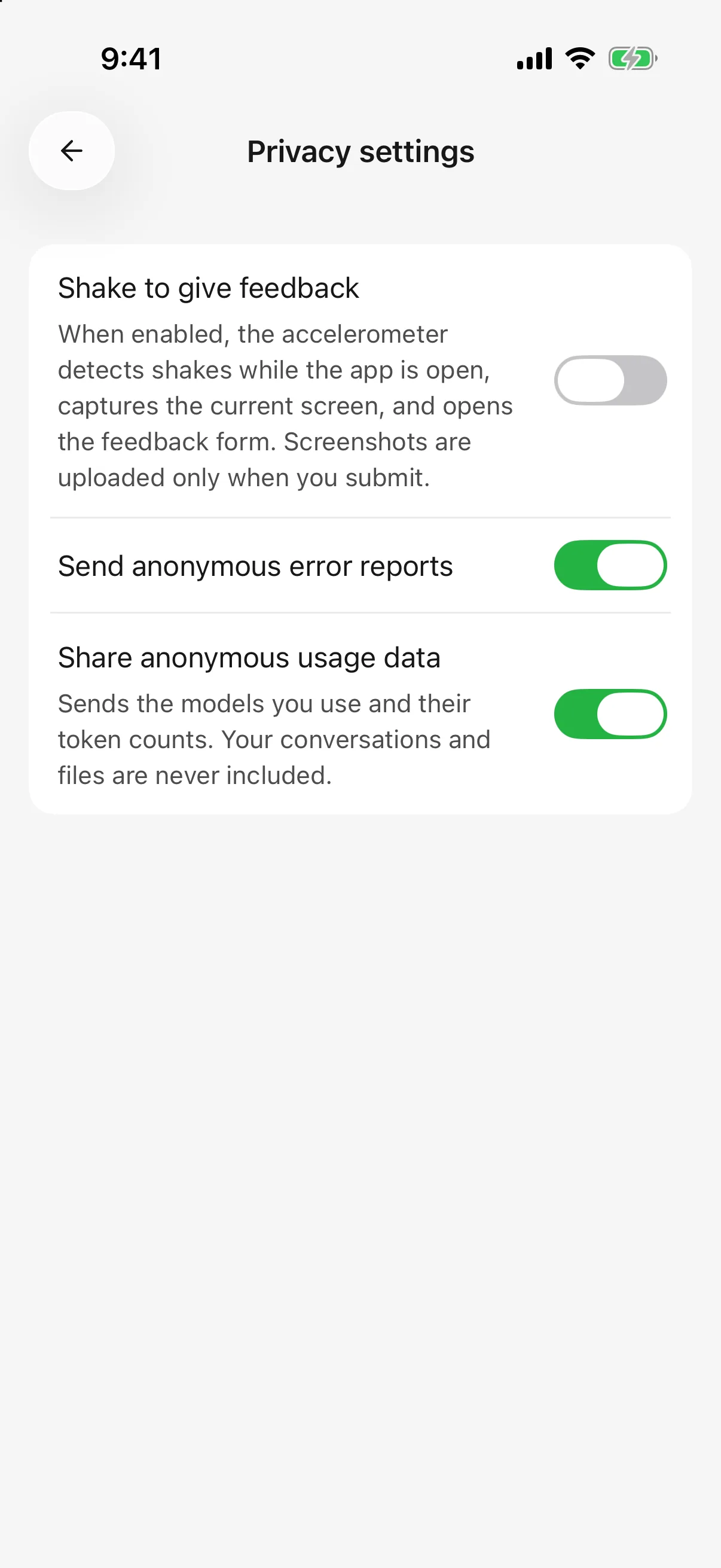
iPhone · Anonymous error reports and usage data are independent options
Keys and plugin authorization
API keys grant model-service access. Keep them out of agent instructions, public screenshots, and issue reports. If exposed, revoke the key at the provider and replace it in the app.
Built-in plugin credentials use device secure storage and are not transferred by desktop import. Static authentication headers for custom MCP servers are stored locally with server configuration and also need careful handling.
Manage system permissions
Open Settings → System permissions. Tool approval and operating-system authorization can appear separately and both may be required.
| Symptom | What to check |
|---|---|
| Only some photos are visible | Selected-photo access may be enabled; adjust the system selection/permission |
| No prompt after denying access | Change Cherry Studio permissions in system settings |
| Calendar reads work but edits do not | Check read and write permissions separately |
| No health records | Confirm records exist and that data type is authorized |
| Pairing works but configuration cannot load | Check local-network access and desktop import |
Old built-in agent capability switches have been removed. Standard/Minimal mode controls app-tool use, OS permissions control device access, and configuration supplies service connections. Custom MCP, Skill bindings, and organization policy remain separate. Revoke OS access in system settings; automatic approval does not bypass it. Android currently lacks iOS reminder/health tools.
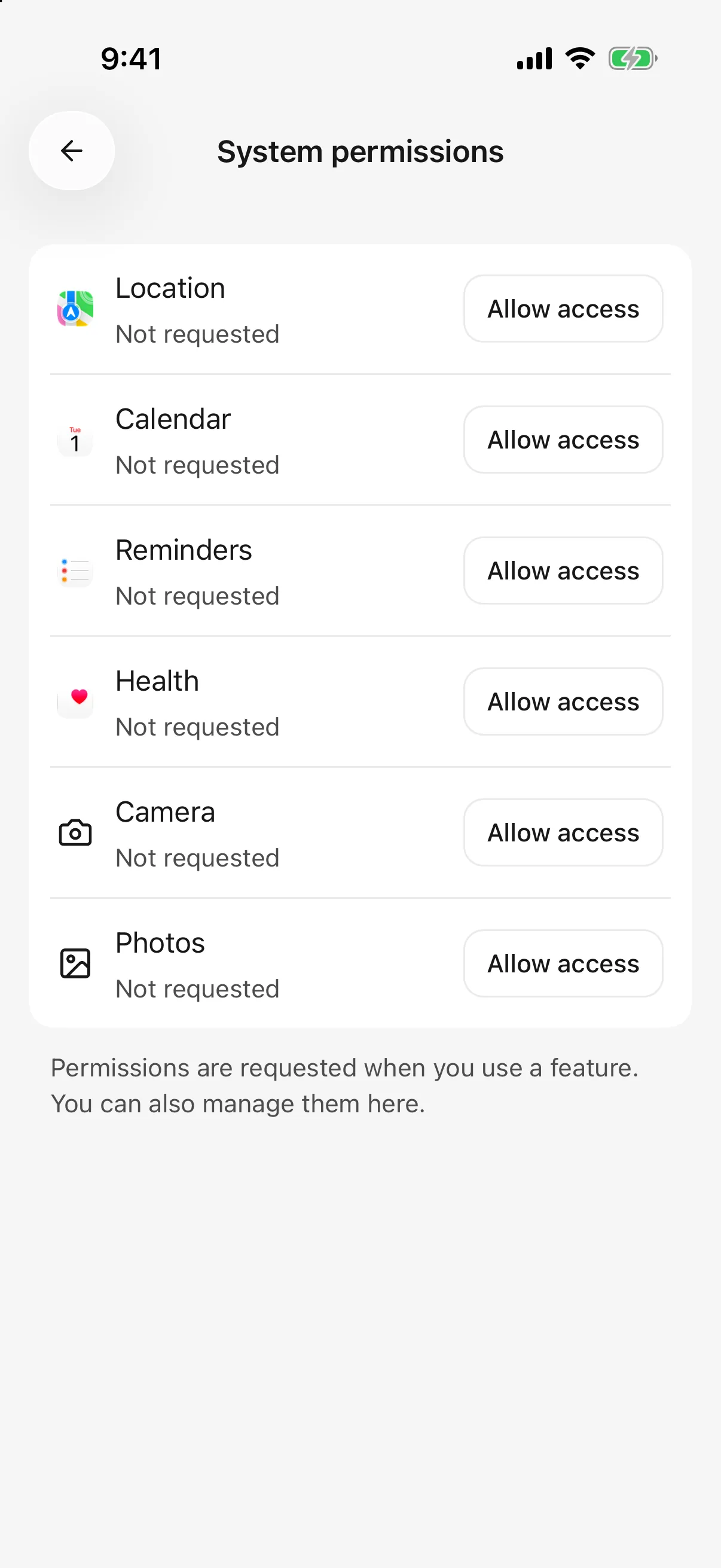
iPhone · System permissions show location, calendar, reminders, health, camera, and photos
Before changing devices or removing app data
Create a full archive in Settings → Data → Backup and restore, save outside the app, and confirm it exists. Restore replaces current data rather than merging it. Archives are unencrypted and contain database-held model keys and custom tool headers. Plugin grants, secure-storage account credentials, system permissions, and computer pairing need attention again; see Backup and restore.
Sharing and export preserves selected results; images, HTML, and Markdown cannot restore the full app. Desktop configuration import does not transfer local chat history, and remote conversations remain on the computer.
Library deletion moves files to 30-day trash; references remain unavailable until restoration. Deleting a conversation does not enter file trash or automatically delete its attachments. See File library.
Does deleting history undo actions?
No. Deletion or answering again does not undo calendar changes, edited external documents, or sent messages, and does not refund model costs. Inspect the actual result in the relevant service if reversal is needed.
Submitted feedback and screenshots
Submitting through Settings → About us → Feedback includes diagnostics from the last 24 hours: error/request summaries and system information. Diagnostic logs exclude conversation text and credentials. Your description and any screenshot can contain private material, so inspect them first.
Shake feedback is off by default. When enabled, shaking in the foreground captures the current page and opens the form. The screenshot stays local unless you enable its inclusion for that submission. Deleting local feedback history does not delete an already submitted report. This flow is separate from anonymous-usage/error-report controls and from the explicit actions/data scope of checks and AI diagnosis.
What should a bug report include?
Include the app/device/system versions, steps, expected result, actual result, and error text. Redact real keys, credential-bearing URLs, private conversations, and file contents before publishing screenshots or details.