


Multi-Model Comparison
Multi-model comparison is ideal for questions without a single correct answer, such as reviewing proposals, exploring copywriting directions, or cross-checking sources.
Comparing Multiple Models Simultaneously
1. Open [Chat] and click the model name
Click Multi-select at the top right of the model list, then tick the models you want to compare. Before first use, ensure that the services associated with these models are connected properly.
2. Send the same question
Include evaluation criteria in your question, for example, "Compare from the perspectives of feasibility, risk, and cost." Avoid asking only "Which is better?"
3. Compare differences, not just pick the longest answer
Focus on whether facts are consistent, assumptions are explicit, what is missing, and which option best fits your constraints. Verify important facts against original sources.
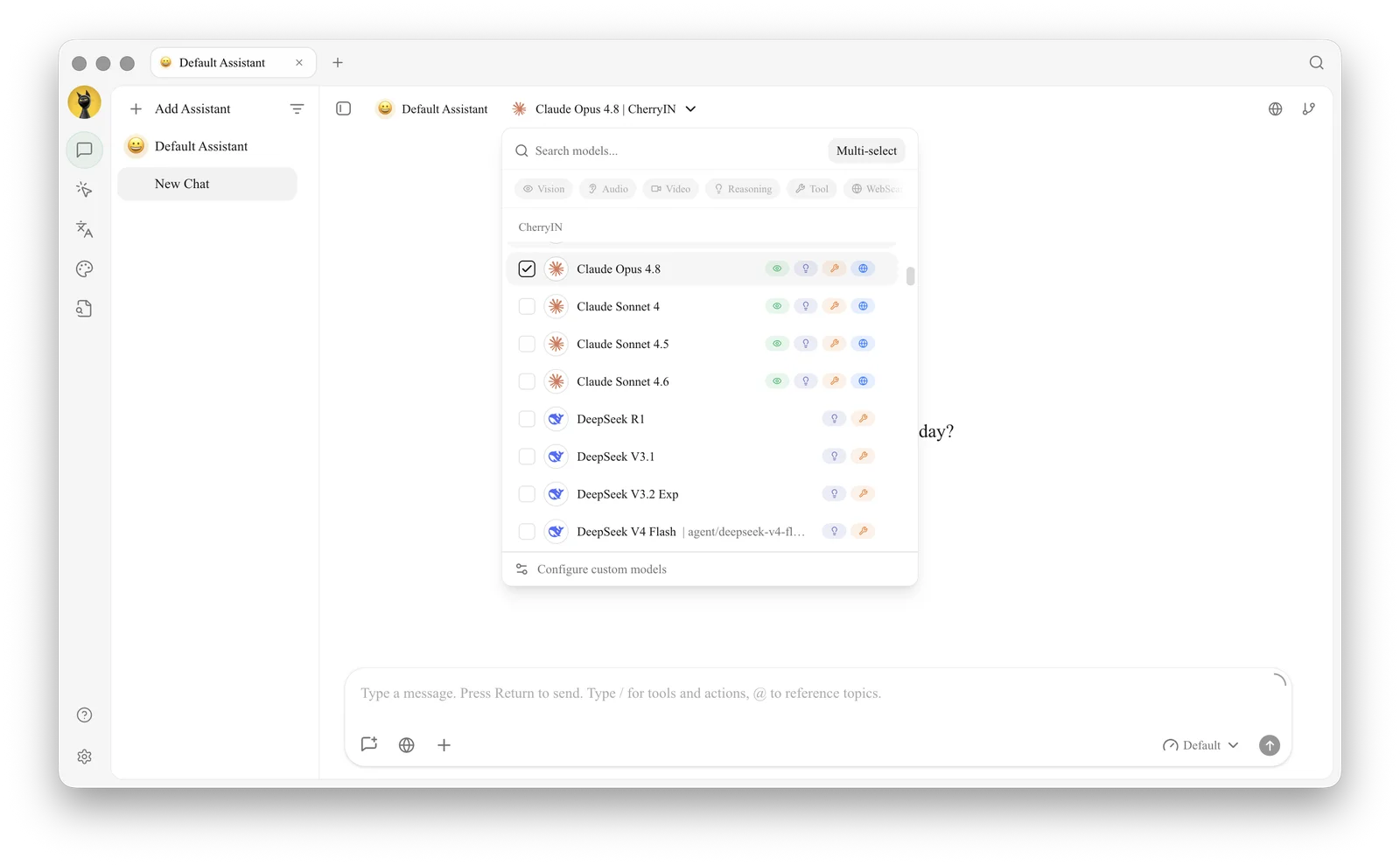
Turn on Multi-select in the model selector, then send the same question to every selected model.
When is it not suitable to use multiple models?
Using a single model is more appropriate when looking up a specific fact, organizing short text, or when the material contains content that should not be sent to multiple service providers.