


Skills and Capability Library
A skill is a set of reusable work instructions and supporting resources. It does not connect to external systems; instead, it tells the Agent which process, standards, and format to follow to complete a task.
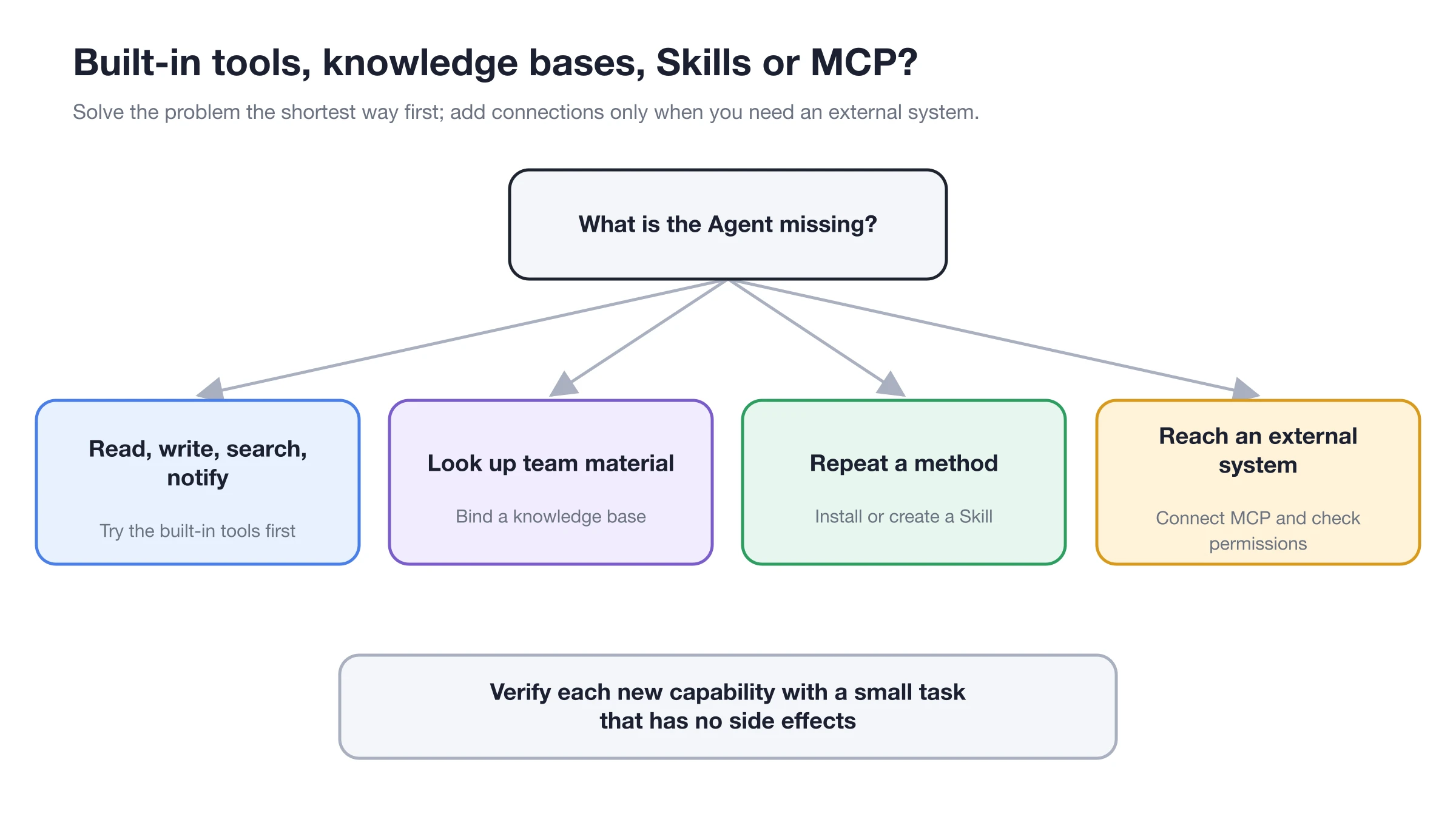
Methods used repeatedly are suitable for defining as skills; use the corresponding entry points for resources, built-in operations, and external systems.
Install Skills
Manual path: [Settings] → [Skills].
Click [Add Skill] at the top right. It offers four options:
- [Create with Agent]: describe the method and let an Agent write the skill;
- [Online search]: search the online skill registry, or select [GitHub] and paste the link to a skill's
SKILL.mdfile; - [System search]: look for skills that are already on this computer;
- [Local import]: install from a ZIP file or a folder containing
SKILL.md.
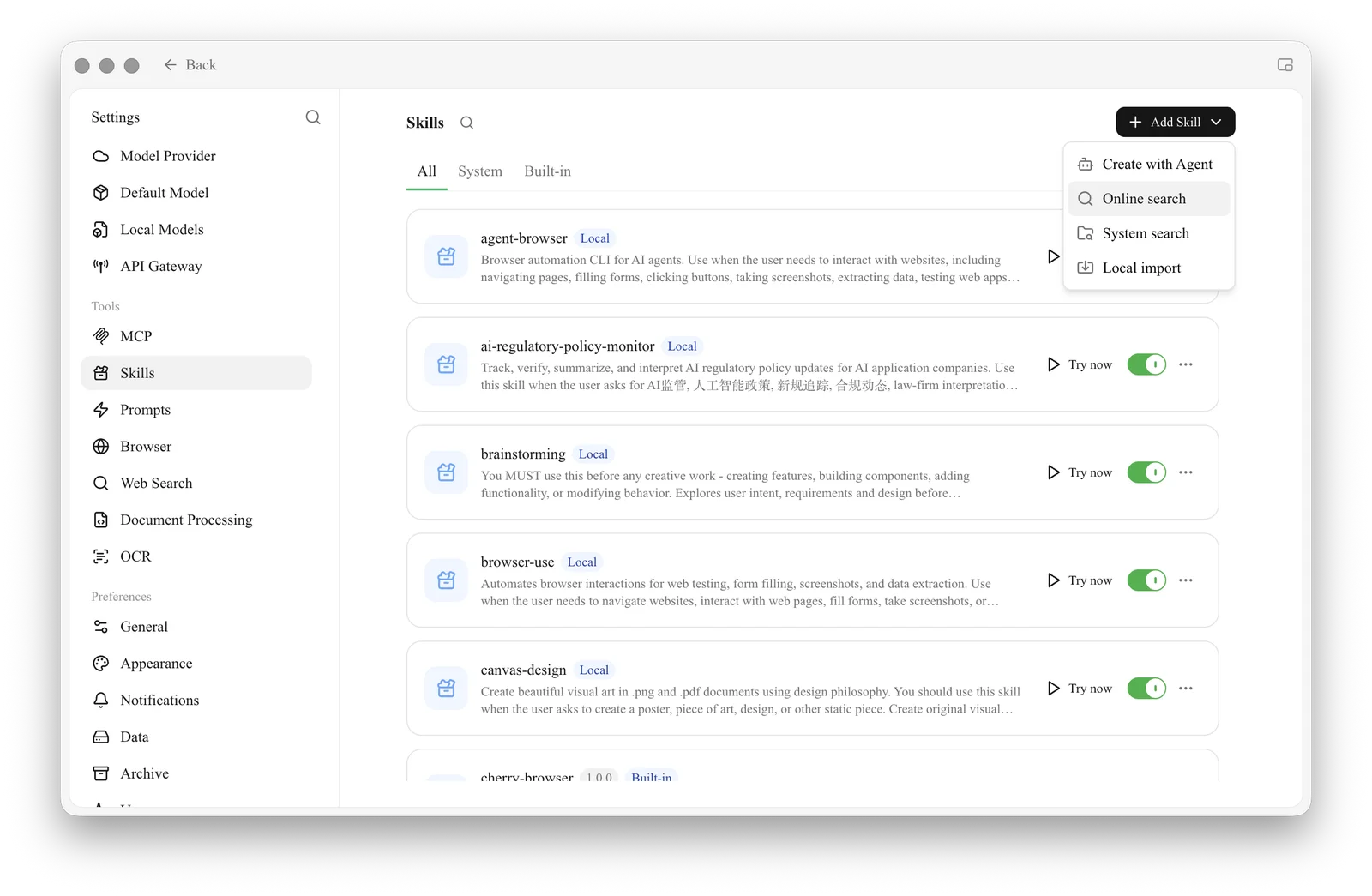
Add Skill offers four ways to install a skill.
1. Confirm the Purpose
Describe in one sentence the problem you want the skill to solve, for example, "organize meeting notes into decisions, owners, and deadlines." Similar names do not imply identical processes; review the description before installing.
2. Check Source and Content
Open the skill details to confirm what it instructs the Agent to do, whether it includes scripts, and if it requires additional tools or external accounts. Do not use skills from unknown sources directly on sensitive directories.
3. Bind to Agent
First, ensure the skill's global switch is enabled in [Settings] → [Skills]. Then, go to [Work] → Agent menu → [Edit] → [Skills] to enable it for this specific Agent. Skill toggles are automatically saved with the Agent configuration and take effect from the next message.
4. Verify with Real Tasks
Provide the Agent with a small sample to check if the steps, output format, and boundaries meet expectations before using it for batch or scheduled tasks.
Global Enablement vs. Agent Enablement
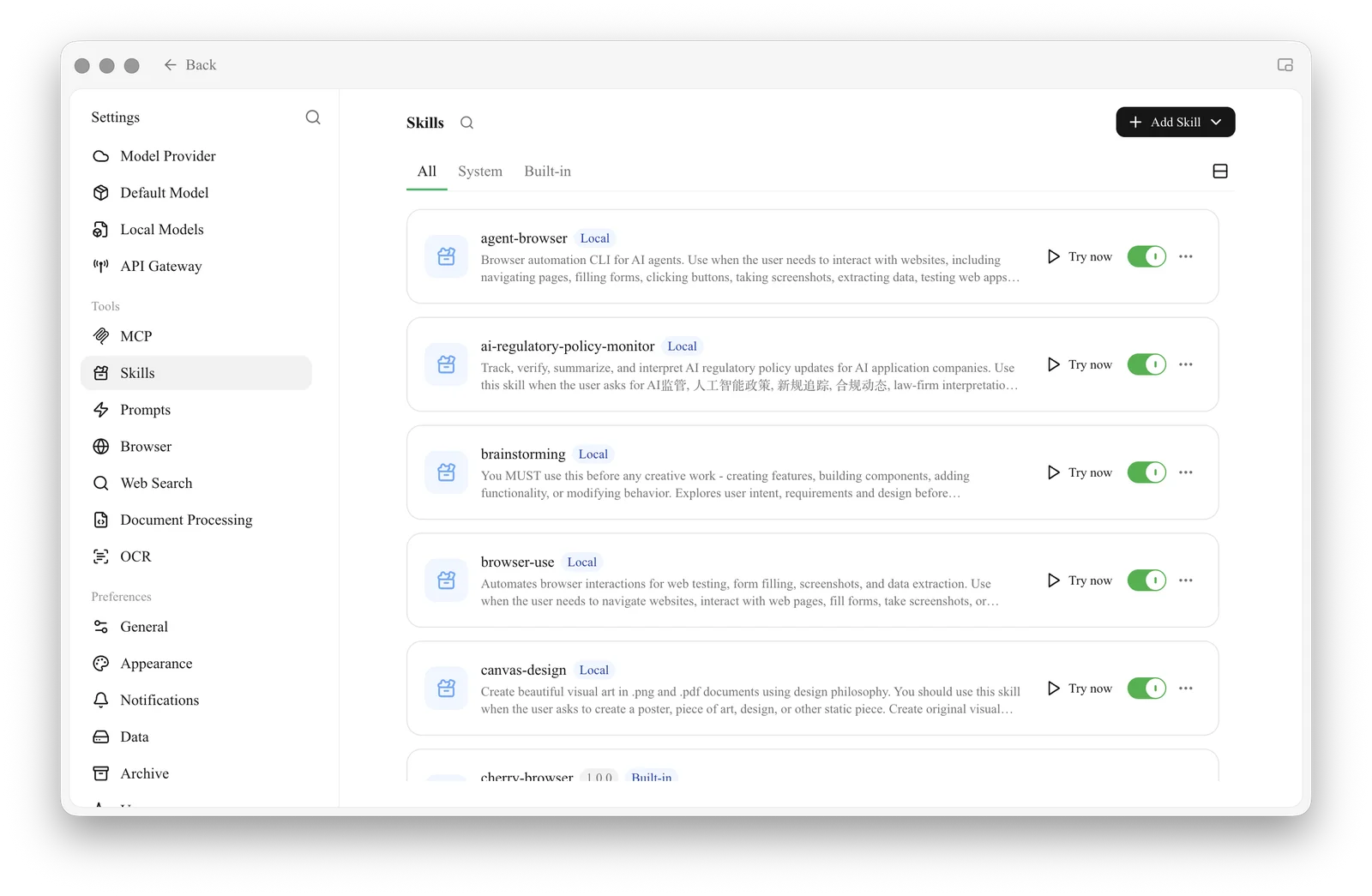
① The switch on the right side of the card controls whether the skill is available to all Agents; if turned off, the skill will no longer appear in the Agent edit window.
| Status | Effect | When to Use |
|---|---|---|
| Globally Enabled | Makes the skill appear in the Agent's available skill directory | The skill source is trusted and may be used by one or more Agents |
| Globally Disabled | Pauses all Agents from using the skill but retains the installed content | Temporary suspension, troubleshooting, or awaiting security checks |
| Agent Enabled | Allows only the current Agent to load the skill | The process aligns with the current Agent's long-term responsibilities |
Turning off the global switch does not uninstall the skill; after re-enabling it, you must still check the enablement status for each Agent. Uninstalling removes the skill content and cleans up associations.
Exporting Skills to External Agents
- Settings → Skills has an "Export skills to external agents" switch, off by default for fresh installs; upgrades with existing preferences stay enabled unless a choice is already saved; while it is on, Cherry Studio links skills into
~/.agents/skillsfor other agent tools to read. - Turning it off stops creating or restoring those links and removes links that carry a skill's name and point at that skill's mirror directory, so a link you created yourself with the same name and target is removed too, while regular files, directories, and links under other names are left alone. If this sync fails, the switch state is still saved and the UI offers a retry.
- Preboot user-data relocation does not read this preference and can still redirect this app’s residual old links.
- Turning it back on restores links according to each skill's own "Available to external agents" setting; while the switch is off, that item on the skill detail page cannot be changed and states why.
Choosing Between Skills, Prompts, and MCP
| Need | Choose | Reason |
|---|---|---|
| A one-off requirement | Current task prompt | No need to add long-term configuration |
| Reusing the same process multiple times | Skill | Can store instructions, templates, and resources simultaneously |
| Defining the Agent's long-term role | Agent system prompt | Must be followed for every task |
| Accessing databases or external services | MCP | Skills themselves do not provide connection capabilities |
User Case: Team Weekly Report Skill
The team wrote a skill defining the weekly report sections, tone, data checks, and prohibited phrases, and bound it to the "Weekly Report" Agent. Each week, they only need to provide this week's materials, and the Agent outputs a fixed structure according to the skill. When data comes from external systems, they combine it with MCP instead of writing account and API details into the skill body.
Why isn't the Agent using the skill after installation?
First, confirm the skill is not globally disabled. Then, enable it in the [Skills] section of the Agent edit window, or ask the Agent to help you complete the binding. Finally, send a new message to test.
Can skills contain programs?
Skill packages can contain instructions, resources, and scripts. Whether scripts can be executed depends on the Agent's tools, working directory, environment dependencies, and permission mode.
Can skills contain programs?
Skill packages can contain instructions, resources, and scripts. Whether scripts can be executed depends on the Agent's tools, working directory, environment dependencies, and permission mode.