


OpenAI
Obtain API Key
- On the official API Key page, click
+ Create new secret key
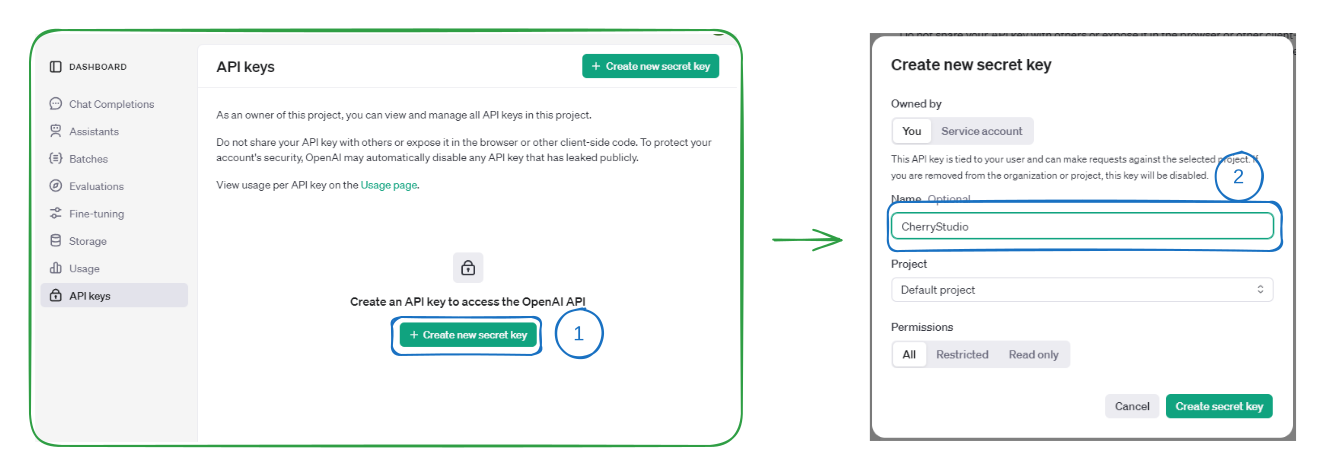
- Copy the generated key and open CherryStudio's Provider Settings
- Find the provider OpenAI, click Add API key, paste the key you just obtained, then click Save and close.
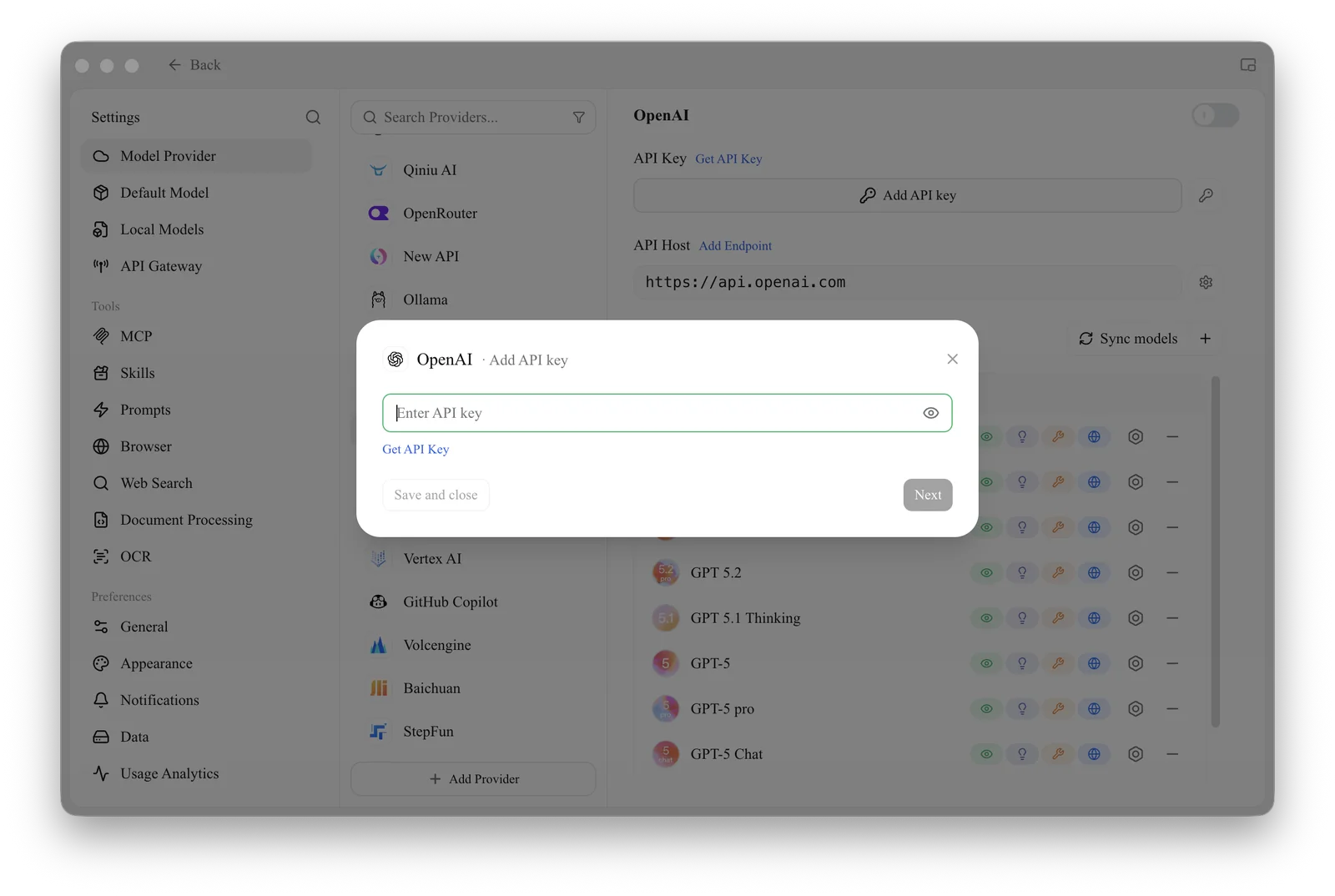
Add API key dialog
- Click "Sync models" (or "+" to add one manually) next to the Models heading to add supported models and enable the provider switch in the top right corner to start using it.